How to generate good looking reports with Claude Code, Cowork or Codex
Every organisation has brand guidelines that nobody follows for internal documents. Reports go out in whatever template someone found on Google Docs, slides are a mix of three different colour schemes, and the last person who knew how to use the "official" PowerPoint template left two years ago. I've replaced all of that with three prompts and a Node script. The output looks better than anything I've ever made in a word processor, and it's consistent every time.
Step 1 - extract design system from your website
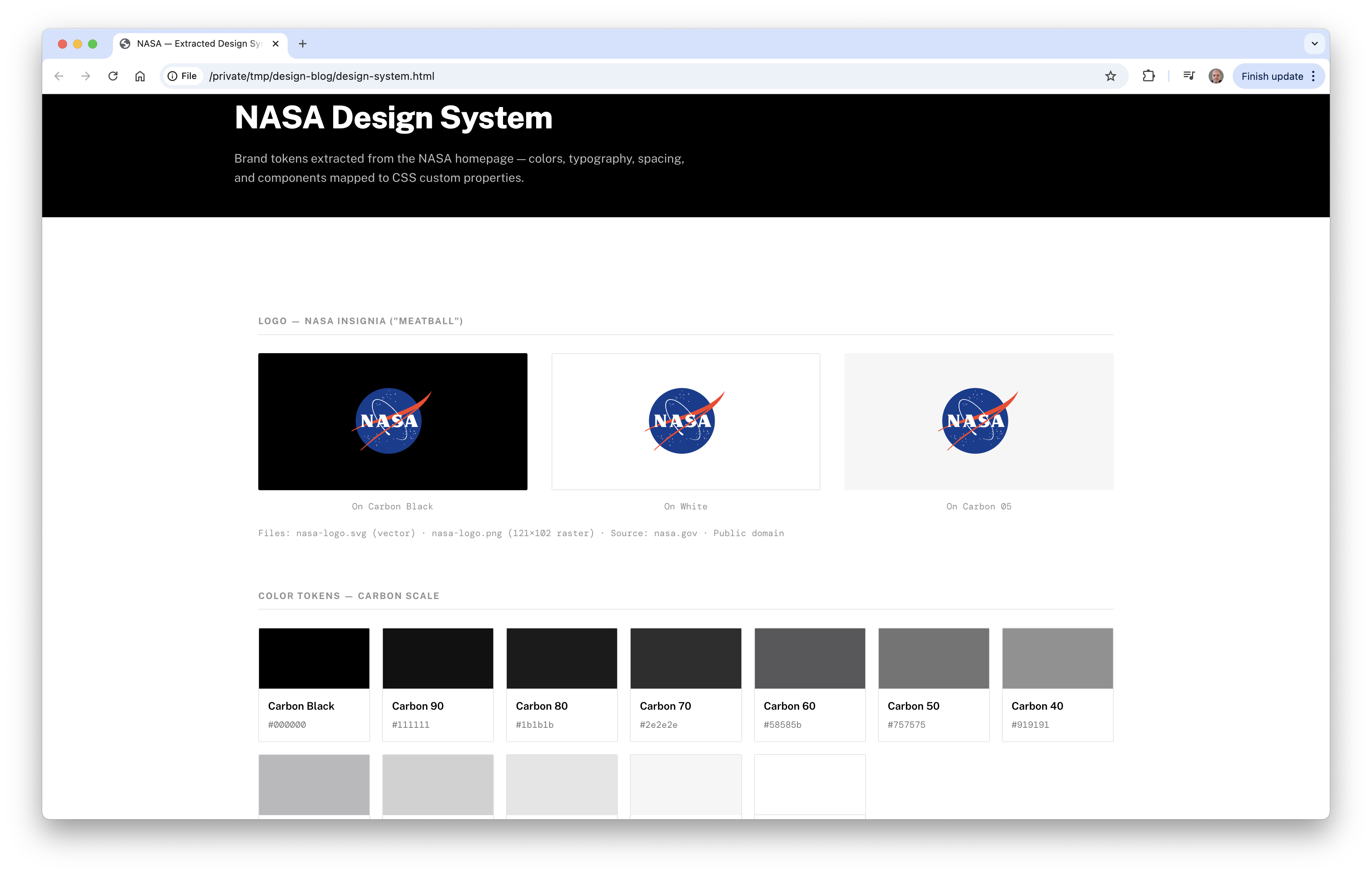
The first step is to get your existing brand into your agent. They are ridiculously good at doing this. Use a prompt like this to start. For this example I'll use NASA.gov, but obviously replace this with your own organisation's site.
If you already have an existing brand document you can skip this and just ask it to make the design-system.html from your existing brand PDFs.
  Curl https://www.nasa.gov and extract the brand design tokens — colors,
  typography (font families, sizes, weights), spacing, and any other visual
  patterns you can identify from the page's CSS and inline styles.
  Include the logo (ideally in svg on both dark and white backgrounds).

  Create a design-system.html file that displays all the extracted tokens
  as a visual reference sheet — color swatches with hex values, a type scale
  showing each heading and body style, and spacing examples. It should be
  self-contained (inline CSS, no external dependencies) so I can open it
  in a browser to verify you've captured the brand correctly.
It'll chew away for a while - it should grab your homepage with curl, find all the linked CSS/fonts and then make a self contained HTML file. This isn't used for the final output, but it's an intermediate step so you can check and make any adjustments before we make the final report template.
You can then open this file in your web browser and check it. It usually does a pretty good job on the first iteration, but if you want to add/modify/correct anything, do it now.
Step 2 - make report template files
Next step is to make the report template files. I'd start with making a report one and a slideshow format, using a prompt similar to this:
Using the design system in design-system.html, create two HTML templates:

  1. report-template.html — A4 portrait (210mm x 297mm) document layout with
     print media queries set for clean PDF output. Include a cover page,
     headers/footers with page numbers, a table of contents section, and
     styled sections for headings, body text, code blocks, tables, and callout
     boxes. It should look like a professional NASA-style briefing document.

  2. slides-template.html — 16:9 landscape (254mm x 143mm) slide deck layout.
     Each <section> becomes one slide. Include a title slide, section divider
     slide, content slide with bullets, and a code/diagram slide. Use CSS
     page-break-after to separate slides for PDF rendering.

  Both templates should be self-contained, use the NASA brand tokens, and
  include print media queries that hide browser chrome and set exact page
  sizes. I want to open these in a browser to preview them.
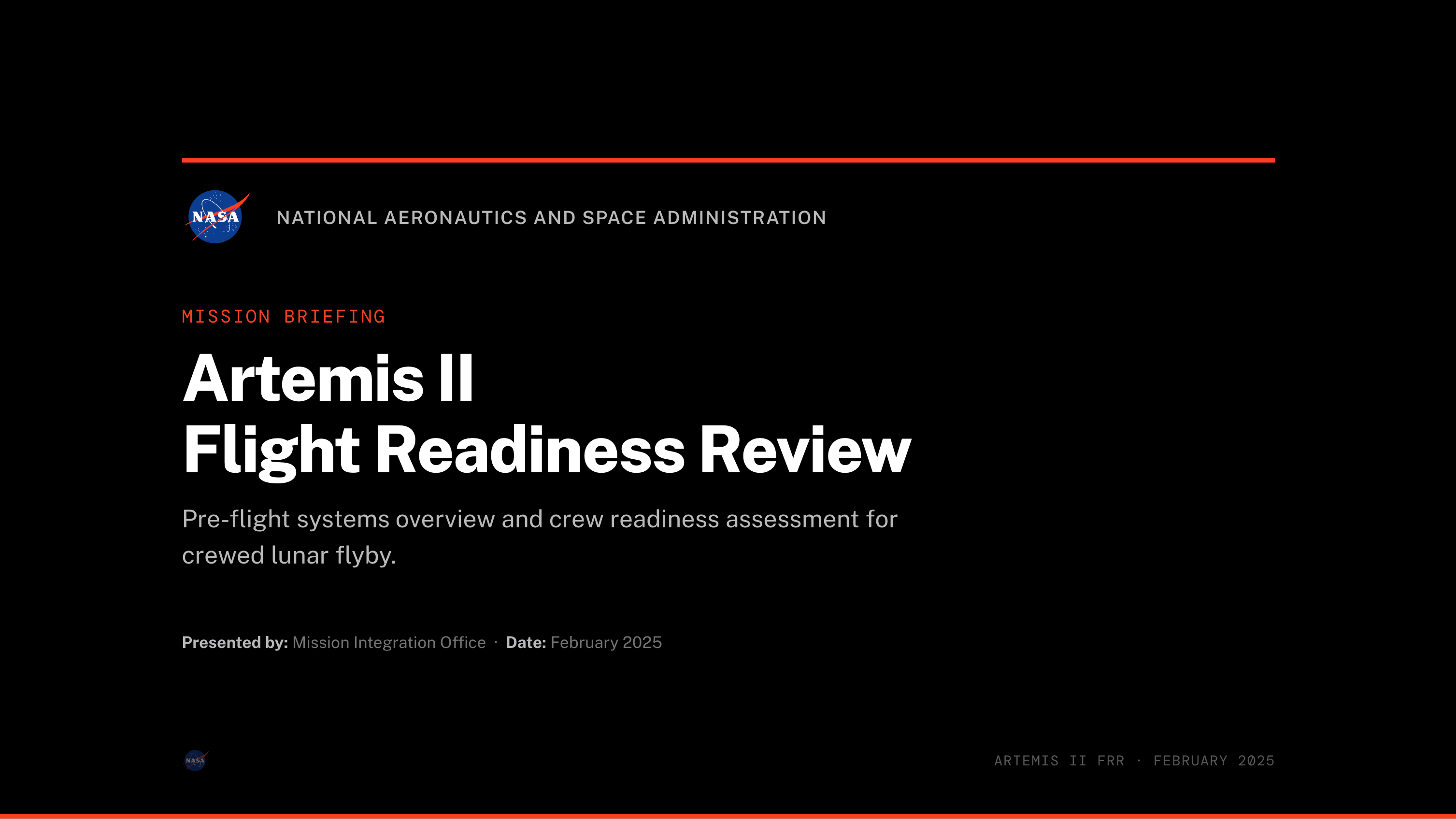
This will generate the aforementioned two HTML files. Again, you can ask for any quick edits at this stage.
I'm pretty impressed with how these turned out - looks very slick:
Step 3 - make a markdown to PDF script and hint it in your CLAUDE.md file
The final step is to make a markdown to PDF script that can convert your agent's markdown output to PDF.
I used this prompt to make the script:
Create render.js — a Node.js script using Puppeteer that:

  1. Takes a markdown file as input and a flag for format: --format=report
     or --format=slides
  2. Converts the markdown to HTML (use marked or markdown-it — install
     whichever you prefer)
  3. Injects the HTML content into the matching template (report-template.html
     or slides-template.html)
  4. Renders it to PDF with Puppeteer using the correct page size and
     print media settings

  Usage should be: node render.js input.md --format=report -o output.pdf

  Run npm init -y and install the dependencies. Then test it by writing a
  short sample markdown file about a fictional NASA mission status report
  and rendering it as both a report and a slide deck.
You can grab my version (but I'd recommend iterating on it yourself as you'll want probably specific slide and report formats) with some sample markdown inputs - one for the report and one for the slides on this gist.
This then produced two pretty good looking PDF outputs - you can see them here:
The final step is to make a hint in your CLAUDE.md[1] so your agent can do this (feel free to do it as a skill or plugin). I'd add something like this to my user CLAUDE.md file:
## PDF Report & Slide Generation

  When the user asks to turn content into a report or slides:

  1. Write the content as a markdown file with front-matter:
  ---   title: ...
     subtitle: ...
     category: ...
     author: ...
     date: ...
     doc_id: ...
     version: ...

  2. For **reports**: write detailed prose with subsections (H3), tables, code blocks, and blockquotes (rendered as callouts). Each H2 becomes a new page.
  3. For **slides**: write concise bullet points. Each H2 becomes a new slide. Keep content short — slides clip if overloaded. Sections with code blocks automatically get the dark code-slide layout.
  4. Render with: `node ~/tools/report-renderer/render.js <file>.md --format=report|slides -o output.pdf`
  5. Open the PDF for the user: `open -a "Google Chrome" output.pdf`
Now every time you want to turn something in your agent into a report or slide deck you can just ask it to 'turn it into a report' or 'turn it into slides' and you should get a great looking, consistent PDF output in your organisation's brand. I've actually found it so much better than trying to do this in Word or Google Docs - if you get any weird formatting problems you can just ask your agent to improve the layout instead of losing your mind trying to line things up in a word processor[2].
As someone with little to no innate design skill, I'm really impressed with the quality of output this approach results in. This would have either required a designer to lay out in Figma or similar (which I can't justify for every document I want to make), or literally hours trying to do it myself to a far poorer standard.
I think this gets even more interesting when you can roll out these kind of techniques organisation wide - I've got some more thoughts on how to achieve that for a future blog, so stay tuned.
CLAUDE.md is a markdown file that sits in your project root and gives coding agents like Claude Code context about your project - what it does, how to build it, conventions to follow, etc. Other agents use similar files (e.g. Codex uses AGENTS.md). ↩︎
While I'm intentionally keeping this simple, sometimes it's best to have the agent turn markdown into HTML, tweak it there (if it is changes you don't want on your "global template") then output it to PDF. But for simple to moderately complicated documents the markdown approach works fine. ↩︎