How to convert Excel spreadsheets to Python models with Claude Code
I've had a few people reach out saying they'd like more info on how to convert Excel to Python with Claude Code - something I've mentioned in some of my other blogs. Here's the step-by-step process I use to convert complex Excel financial models into Python modules, verified against the original spreadsheet.
This strategy works just as well in most agent frameworks - Cowork, Codex, etc.
Why do this?
The key benefit is the speed of trying many combinations of models. This is slow and painful to do in Excel, whereas it's trivial to run millions (or more) of variations in Python in seconds.
Also, it allows you to embed your Excel model in other applications (e.g. a web app dashboard, or internal tools). And Python has far more advanced capabilities than Excel, especially when it comes to machine learning.
Finally, once you have it in Python you can iterate with the coding agent itself to improve it. This is far easier to do in Python than getting an agent to understand a spaghetti mess of Excel formulae every time you want to make a change. Do the conversion once, then it's incredibly quick to update and iterate on.
1. Audit your Excel sheet
Open a folder with Claude Code and drop a copy of your Excel file in.
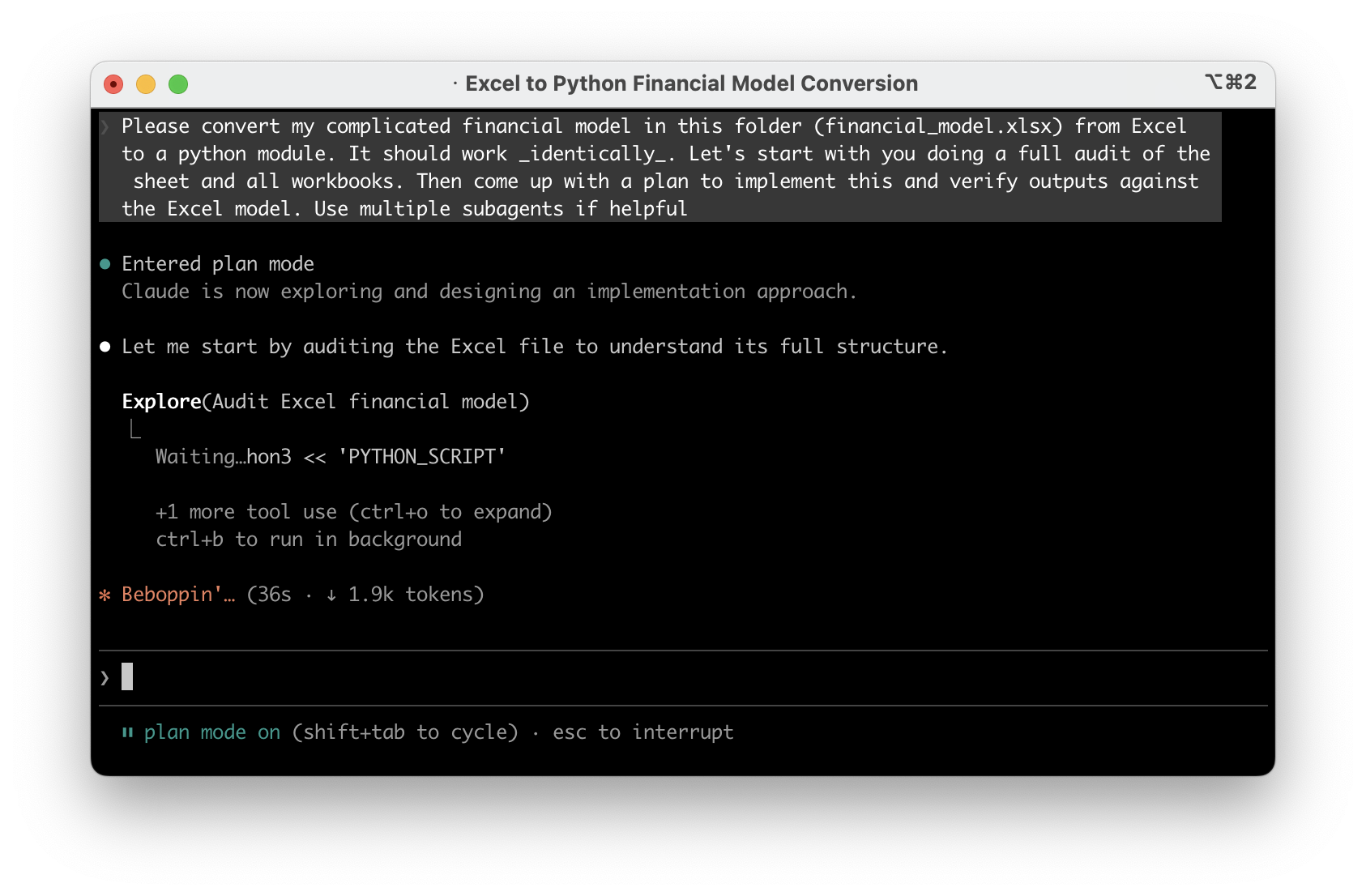
Once that's done, open Claude Code in that with the plan mode enabled and ask something like this:
Please convert my complicated financial model in this folder
(financial_model.xlsx) from Excel to a python module. It should
work _identically_. Let's start with you doing a full audit of
the sheet and all workbooks. Then come up with a plan to implement
this and verify outputs against the Excel model. Use multiple
subagents if helpful
I'd strongly recommend using the strongest model you can for this - at the time of writing this was Opus 4.6 or Codex 5.3-xhigh.
2. Confirm the plan
Once you've got a plan, carefully read it and make sure it sounds reasonable - it should have understood the intent and what each sheet/part of your Excel workbook. It's far better to argue with it here than further down the line. Also, don't be scared to ask it to explain its understanding of parts of it if you're not sure if it's really understood.
It may suggest multiple phases if it's very complicated - that's fine to accept.
3. Implement
Once you've done this - let it implement it. This will take a while depending on your model. Again, don't be scared to interrupt it if you think it's going off track from some of the logs that it comes back with - or get it to explain further. But in my experience this part has been fairly automatic even on very large Excel files.
4. Iterate
Once the implementation is done, ask if it has anything to finish. On complex Excel files it often will leave some parts out because it's too complicated - make sure it's finished it all off. Once you've confirmed with the agent it thinks it is finished, ask it to run the model for you with various inputs and sanity check this against your Excel.
You may find small rounding errors (this may or may not be a problem) due to Python's numeric formats often being marginally different to Excel. In my experience this hasn't caused anything major but I could see things getting out if you have a very recursive model which requires very high precision. I'm sure this can be resolved by iterating with the model to emulate Excel's numeric precision more closely if needed. In my experience though, if you follow the steps here and ensure it's validating against the real Excel file, the output is usually perfect. If anything, it may find issues with your actual Excel formulae!
5. Add automated tests
Now the model is working and validated, ask the agent to create automated checks that verify the outputs stay correct. Think of this as a safety net - any time you make a change to the model, you can run these checks in seconds and they'll tell you immediately if something broke.
Write pytest tests for the Python model. Use the outputs we've
already validated against Excel as the expected values, hardcoded
into the tests. Cover a range of input scenarios. These should run
quickly so I can re-run them any time I make a change. Also add a
rule to CLAUDE.md/AGENTS.md to run these tests after every change
to the model, and to add new tests for new features.
Adding this to CLAUDE.md/AGENTS.md means the agent will know that it should run these tests and add new tests automatically in future.
This is especially valuable before you start experimenting in the next step. As you improve or extend the model, these tests ensure you haven't accidentally broken something that was already working. Without them, you'd have to manually re-check against Excel every time - with them, it's one command and a few seconds.
6. Run experiments with the model
The most powerful bit as I alluded to in the intro is to run many scenarios with the model's help.
For example, ask the agent to pull GDP/inflation trend figures from the internet, then feed it into the model to see the impact on your assumptions under various macroeconomic situations.
Or, ask it to search through all your organisation's presentations in the past and input some of the assumptions that were made to see how they turned out.
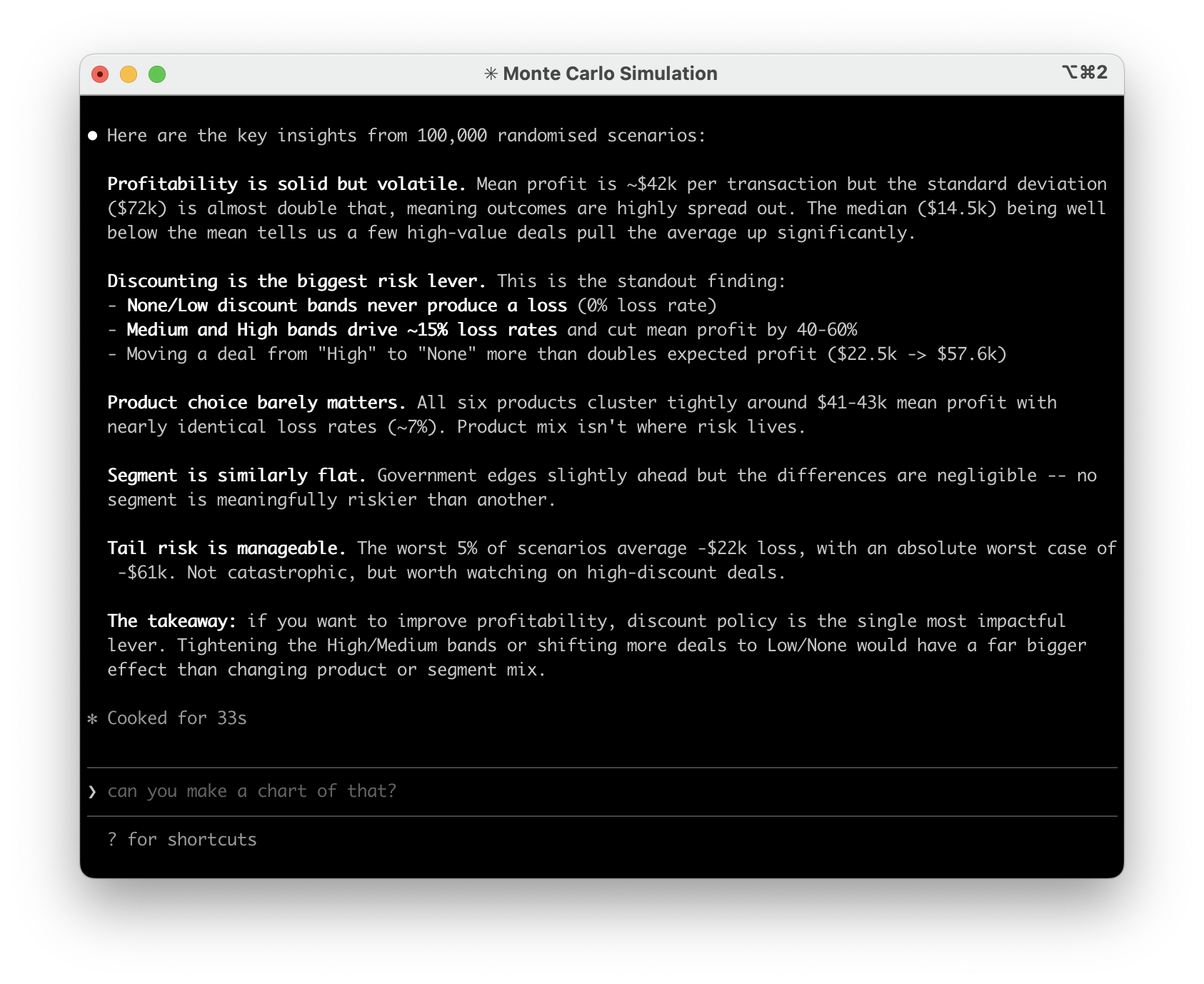
The sky is the limit - you can also have the agent make a plan to improve your model now it's in code. Ask it what weaknesses it thinks you have, what data sources could be connected, etc. For example, you could pull in PowerBI data automatically (or any other SQL datasource) to keep the model completely up to date without any copying and pasting into Excel.
You'll hopefully find that the agent can find loads of interesting 'flaws' in your model and be able to implement them very quickly.
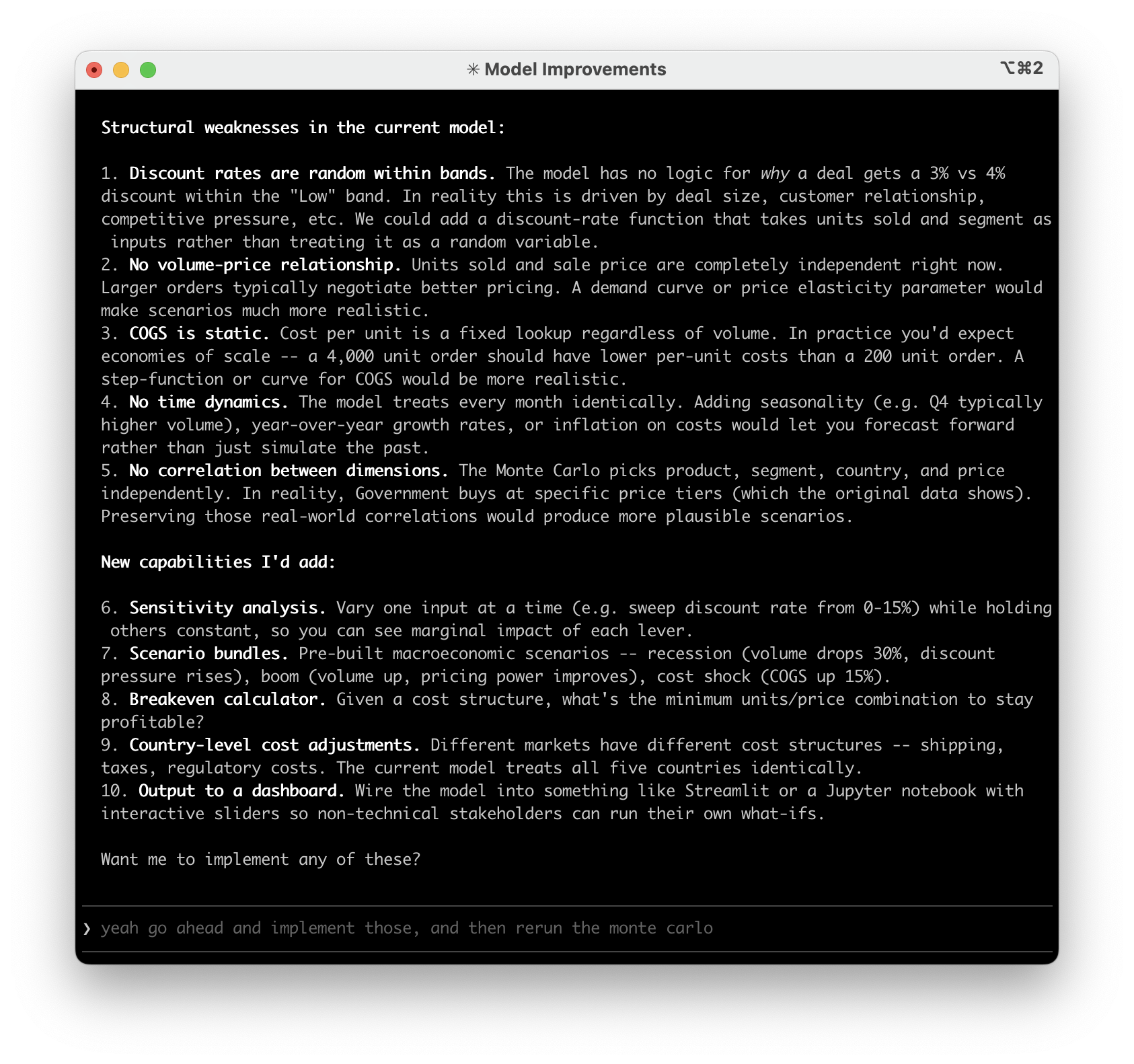
Finally, you can also combine this with my making great looking reports approach to have the model write findings from your collaborative runs together into presentations for you to present to your wider team, in your corporate branding. Keep in mind it's trivial to get Claude to plot graphs and charts from the Python model too, with a far better level of precision than (I at least!) can get in Excel.
The whole process takes less than an hour even for very complex models. Once it's in Python, you'll wonder why you ever did scenario analysis by hand in Excel.
More advanced techniques
If you want to take this further, there are two things I'd recommend getting familiar with.
CLAUDE.md / AGENTS.md - We touched on this briefly in the testing step, but these files are how you give persistent context and instructions to coding agents. You can use them to describe what the project does, how the key parts work, and define rules like "always validate outputs against these known values", "never change the tax calculation without asking first", or "run the test suite after every change".
Think of it as a briefing document that the agent reads every time it starts working. The more specific you are, the less you have to repeat yourself across sessions.
Claude Code and Cowork use CLAUDE.md, everything else uses AGENTS.md. To get started, just ask the agent something like:
Update CLAUDE.md with what this project does, the key functions
and how they work, how to run the tests, and any rules you should
follow when making changes. Also summarise what you think I'm
trying to achieve and ask me questions if you are not sure.
GitHub - If you're not already using version control, this is the point where it becomes essential. Once you're iterating on a Python model with an agent, changes happen fast. GitHub (or similar) is essentially track changes on steroids - a full history of every change, the ability to roll back if something goes wrong, and branching so you can try experimental changes without risking the working version.
It's the difference between "I think the model was working yesterday" and being able to see exactly what changed and when. This guide is a good starting point - you probably don't need to know the exact commands (you can just ask your agent to do it for you), but the cheat sheets are helpful for understanding the core concepts.
If you'd like help converting your own Excel models or want to talk about how this could work for your team, feel free to get in touch.